Learn how ChatGPT ads work, who can buy them, how context hints target conversations, what the pricing looks like, and how to track results.
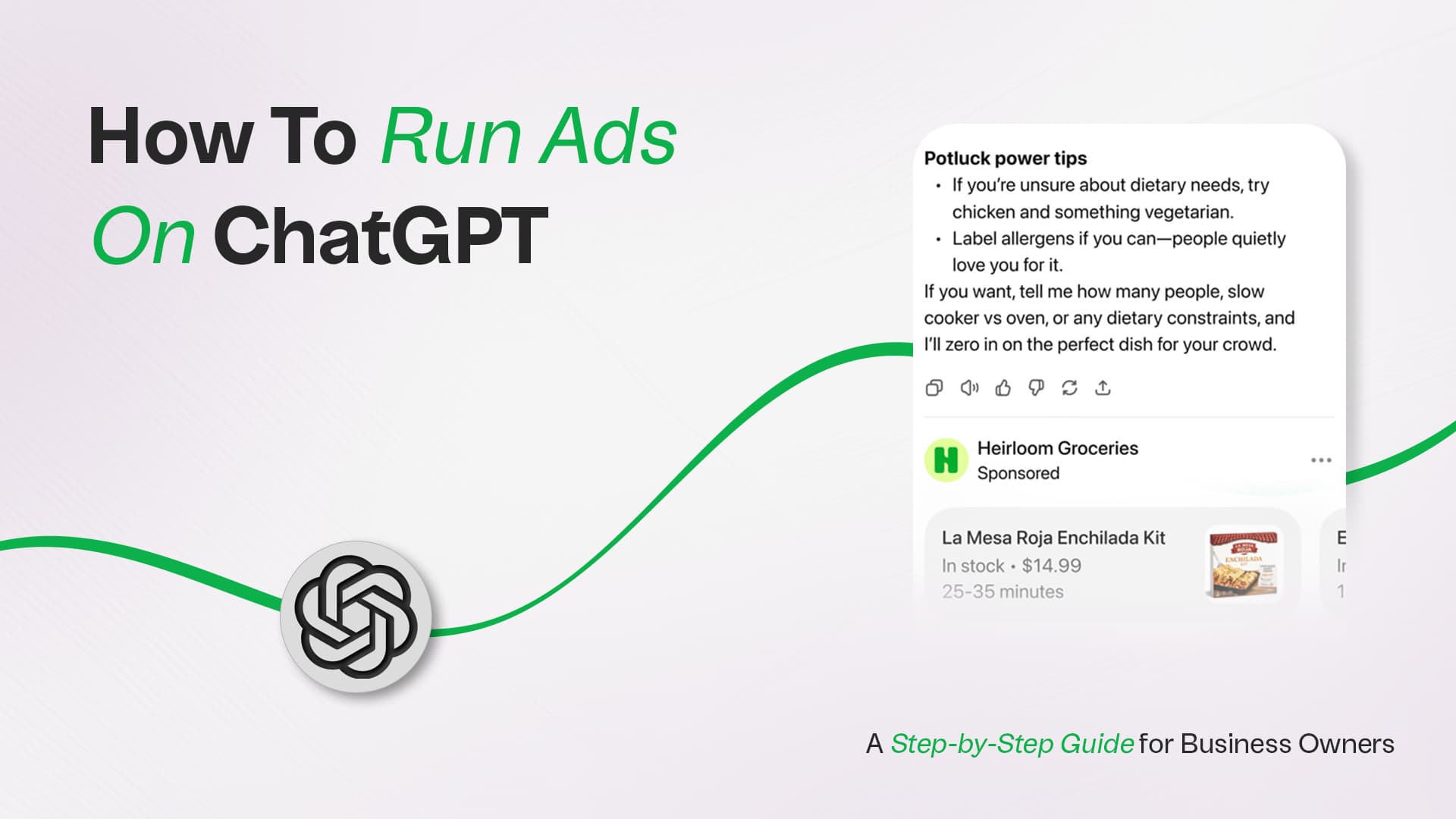
For most of its history, ChatGPT was ad-free. That changed in early 2026. OpenAI launched a managed advertising pilot in February, and by May 5, 2026, it opened a self-serve Ads Manager to businesses of all sizes, with no minimum spend required. For the first time, a small business owner can compete alongside enterprise brands on the same AI platform used by over 900 million people every week.
This guide explains exactly how ChatGPT advertising works, whether your business qualifies, and how to launch your first campaign from scratch.
| Quick Answer |
|---|
| To run ads on ChatGPT, go to ads.openai.com, create an account, and complete manual verification |
| (5–15 business days), Set up billing and build a campaign using the three-level structure: |
| Campaign → Ad Group → Ad. Choose CPM or CPC bidding, and define your audience using context hints |
| Rather than keywords, publish ad creative following OpenAI's content policies. Ads appear |
| Below are ChatGPT responses for users on the Free and Go tiers only. |
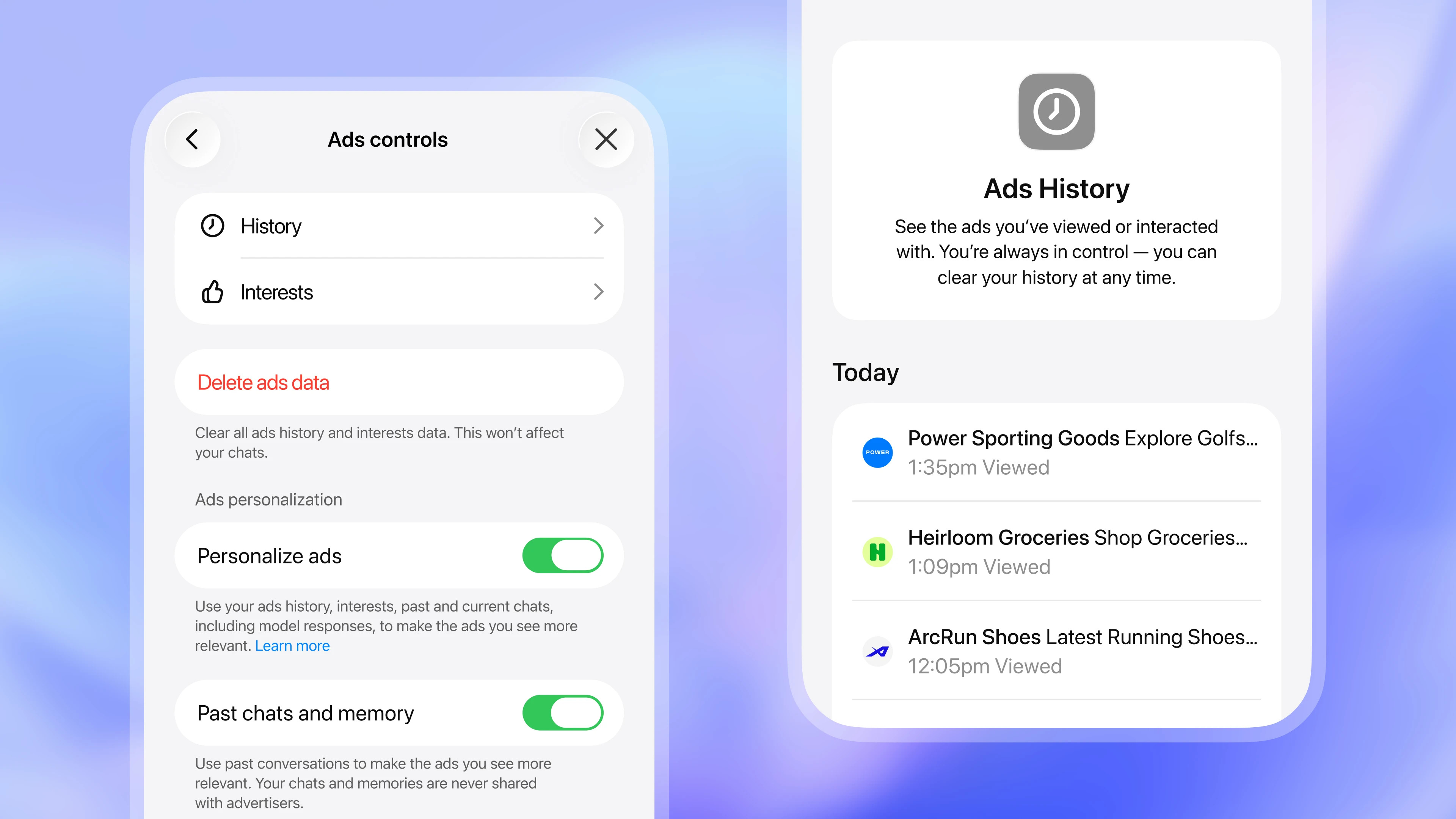
Alt txt: Ads are labelled separately and do not affect ChatGPT’s answers
Source: OpenAI, "Testing ads in ChatGPT."
ChatGPT ads are sponsored placements that appear below a ChatGPT conversation response when a user's query is commercially relevant. They are visually separated from the AI's answer and clearly labelled as sponsored content.
Unlike Google Search, where users scan a results page, ChatGPT users are mid-conversation, actively researching, comparing options, and making decisions. That context is what makes the format distinctive. OpenAI calls this conversational advertising: ads served in high-intent moments, shaped by the full context of a dialogue rather than a single keyword.
A practical example: a user asks ChatGPT to help them compare project management tools. After ChatGPT delivers its analysis, a sponsored listing for a relevant SaaS product appears below. The AI's answer is unchanged. The ad simply occupies a labelled space at the bottom of the response.
Critically, ads run on entirely separate systems from ChatGPT's language model. Advertisers cannot influence, rank, or alter the AI's responses in any way.
Before investing time in setup, confirm your business meets the eligibility requirements.
The Ads Manager is currently available to advertisers based in:
OpenAI has signalled further international expansion throughout 2026. If your country is not listed, register at openai.com/advertisers to be notified when access opens.
| Eligible Categories | Excluded Categories |
|---|---|
| Household & consumer goods | Dating services |
| Local services | Alcohol & tobacco |
| Travel & experiences | Healthcare & pharmaceuticals |
| Digital products & education | Financial & legal services |
| Gambling & political content |
These restrictions are expected to evolve as the platform matures. OpenAI vets all advertisers before granting access.
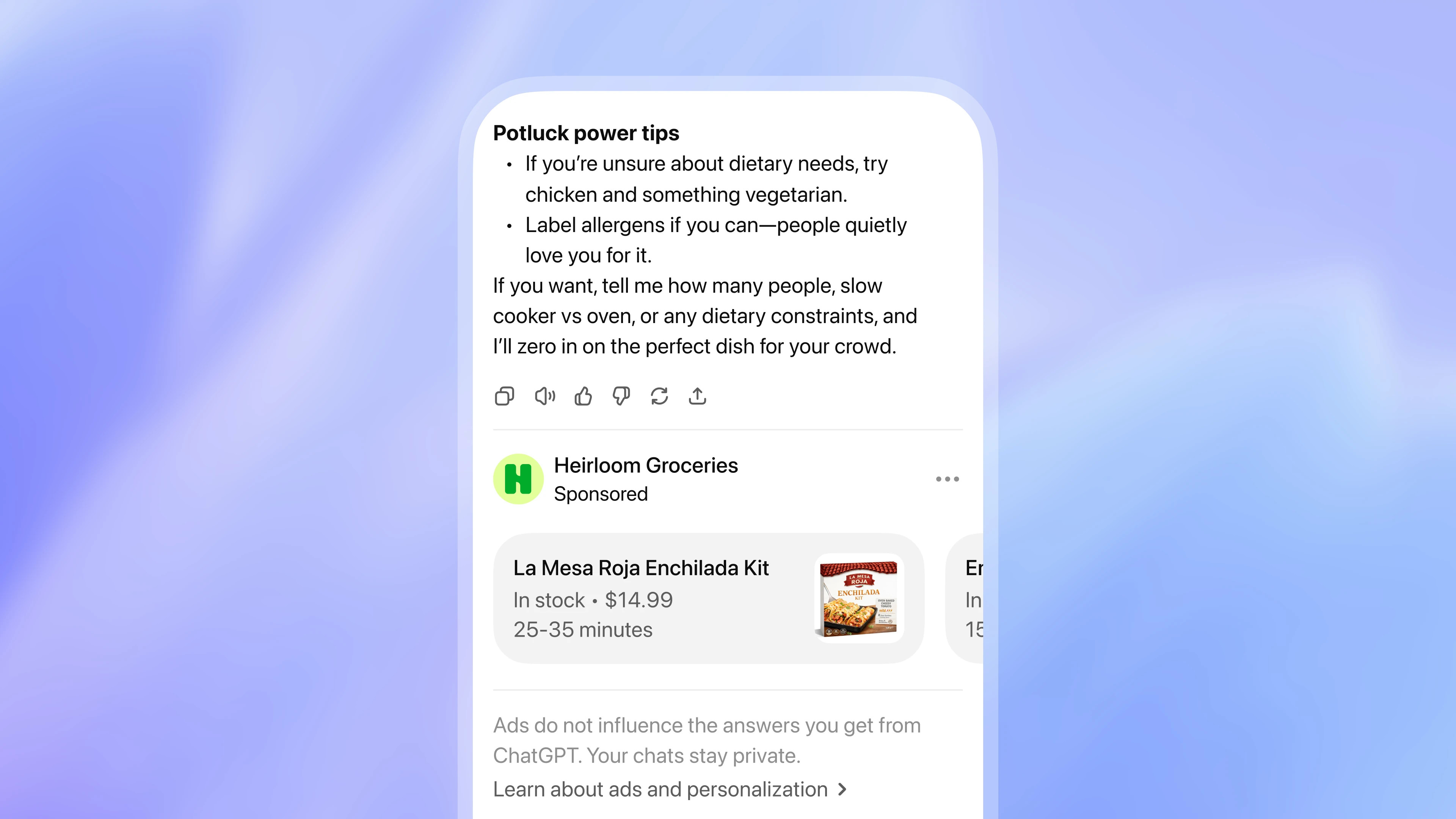
Alt txt: ChatGPT ad settings with controls for feedback, ad data, and personalisation
Source: OpenAI, "Testing ads in ChatGPT."
Ads are shown exclusively to:
Users on Plus, Pro, Business, Enterprise, and Edu plans see no advertising. Ads also do not appear in temporary chats, during image generation, when users are logged out, or in conversations flagged as sensitive (health, mental health, or political topics).
Allow approximately one hour for the technical setup, plus a verification wait period of 5–15 business days before your ads can go live.
Navigate to ads.openai.com and sign in with the OpenAI account you want tied to your business. You will be asked to enter your legal business name, physical address, business category, and payment method. Note that one person owns the account as the primary administrator; team members can be invited afterwards. Each advertiser requires a separate account, so agencies managing multiple clients need one account per client.
Account verification is manual. OpenAI reviews your business information before approving your account and enabling ad serving. Budget this wait time into your launch timeline.
Inside the Ads Manager, add your billing profile including your business address and invoice email, then attach a credit card. No ads will serve until billing is configured and your account has been approved. Once live, you can invite additional users via Settings → Users → Invite.
A campaign is the top-level container that sets the overall objective, budget, and geographic targeting. Two campaign objectives are available:
| Objective | Pricing Model | Default Max Bid |
|---|---|---|
| Reach | CPM (cost per 1,000 impressions) | $60 CPM |
| Clicks | CPC (cost per click) | $3–$5 recommended |
Set your daily or total campaign budget, your target country, and your campaign start and end dates at this level.
This is where ChatGPT advertising differs most from traditional paid search. Instead of selecting keywords, you write context hints, natural language descriptions of the conversations and user situations where your ad should appear.
Context hints are not exact-match triggers. They are intent signals that inform the ad system about the types of queries and conversation threads relevant to your business. Think of them as answering the question: "What kind of person, in what kind of conversation, should see this ad?"
Example context hints for a project management tool:
Write context hints that are specific. Broad hints ("business software") tend to underperform because they match too wide a range of conversations. A good context hint describes both the topic and the user intent.
You can create up to 5,000 ad groups per account. OpenAI recommends launching each ad group with a minimum of 3-5 ad variations to generate sufficient data for optimisation. For example, if you are advertising a project management tool, your ad variations might feature different headlines such as 'Streamline Your Team’s Workflow,' 'All-in-One Project Management for Small Businesses,' or 'Boost Productivity with AI-Powered Task Management,' each paired with tailored descriptions or calls to action. Employing multiple variations allows the system to identify which messages and formats resonate most with users during analysis.
Each ad unit consists of:
| Element | Specification |
|---|---|
| Title | 16-24 characters |
| Description/Copy | 32-48 characters |
| Image (optional) | Square, up to 1200×1200px |
| Landing Page URL | Valid URL; UTM parameters supported |
Keep your headline direct and your copy specific. Because ChatGPT users are already mid-research, vague brand awareness messages perform poorly. Lead with what you offer and why it is relevant to their current task.
All campaigns undergo review before serving. OpenAI checks creative against its content policies, so misleading claims, restricted categories, or low-quality landing pages will result in rejection.
ChatGPT's ad system does not use a keyword auction in the traditional sense. Instead, it operates on relevance-weighted, second-price auction logic, which means context and relevance outperform raw bid amounts.
When a user's conversation is underway, the system evaluates:
The most contextually relevant ad for that moment wins the placement. This design means that a highly relevant lower bid can outperform a higher bid from a less relevant advertiser. Specificity in your context hints is therefore a competitive advantage.
| Model | Best For | Default Max Bid | Observed Market Rate |
|---|---|---|---|
| CPM (Reach objective) | Brand awareness, visibility | $60 CPM | ~$25 CPM in early auctions |
| CPC (Clicks objective) | Traffic, conversions | $3-$5 recommended | Variable by industry |
There is no minimum spend requirement as of May 5, 2026. For consumer services, early advertiser data suggests average costs between $2 and $8 per conversation exposure. Specialised B2B contexts with high intent can range from $15-$40. These are early-market figures; benchmarks will stabilise as more advertisers enter the platform.
OpenAI is planning additional bidding models later in 2026, including conversation depth optimisation, which will target users engaged in multi-turn dialogues with higher conversion likelihood.
ChatGPT Ads Manager provides standard performance metrics, including impressions, clicks, and click-through rates. For conversion tracking, OpenAI offers:
Expect initial performance data (impressions, clicks) within days of launch. For meaningful conversion data, allow 30–60 days, particularly if your sales cycle extends beyond the first interaction.
| Factor | ChatGPT Ads | Google Ads | Meta Ads |
|---|---|---|---|
| Targeting | Context hints (conversational intent) | Keywords | Demographics + interests |
| User Mindset | Active research, mid-decision | Purchase intent | Passive browsing |
| Ad Format | Sponsored block below response | Text ads, Shopping | Image, video, carousel |
| Audience | Free/Go tier, 18+, logged in | Broad | Broad |
| Pricing | CPM or CPC | CPC, CPA | CPM, CPC |
| Competition | Low (early market) | High | High |
| Measurement | Developing | Mature | Mature |
The clearest advantage of ChatGPT ads at this moment is low competition. For example, an early adopter such as a direct-to-consumer skincare brand can run targeted campaigns to assess which product headlines or user scenarios generate the highest engagement. By analysing performance data and refining context hints well ahead of a potential influx of new advertisers, this business gains actionable insights into messaging, optimal bidding strategies, and user behaviour on the platform. As a result, when the advertising channel becomes more saturated, these early movers possess data and operational knowledge that later entrants must acquire through greater expenditure and trial.
Strong candidates:
Not a fit yet:
The honest assessment for most business owners: treat ChatGPT Ads as a test budget item, not a primary channel for now. Allocate a meaningful but non-critical budget, wire up tracking from day one, and give it 60 days of data before drawing conclusions.
ChatGPT advertising is still in its early innings. The self-serve Ads Manager has only been publicly available since May 2026, and benchmarks are still being established across industries. But that is precisely the opportunity. Advertisers who build competence on the platform now, before it becomes expensive and crowded, will have a material advantage over those who wait.
If your business is in an eligible category and you have the bandwidth to run a disciplined 60-day test, the timing is right. Start with a modest budget, invest in crafting specific context hints, connect your conversion tracking on day one, and treat this as much a learning exercise as a performance channel.
The era of conversational advertising has started. The question is whether you will be an early participant or a late follower.

About the Author
Kiran Oli. Ken
SEO & Social Media SpecialistLearn about our Editorial Policy.
WordPress 7.0 is finally here. Instead of just skimming the release notes or rehashing what other blogs already said, we installed it ourselves and spent real time poking around to see what actually feels different for everyday users. For this review, we set up the new version in a test environment and put it side by side with WordPress 6.x. Our focus wasn’t on deep developer internals, it was on the things website owners, editors, bloggers, agencies, and business users actually bump into while using WordPress every day. After living in both versions for a while, version 7 feels less like a brand-new platform and more like a cleaner, faster, better-organized WordPress. A few changes are useful right away. Others are more foundational and will probably matter more as later updates build on them.
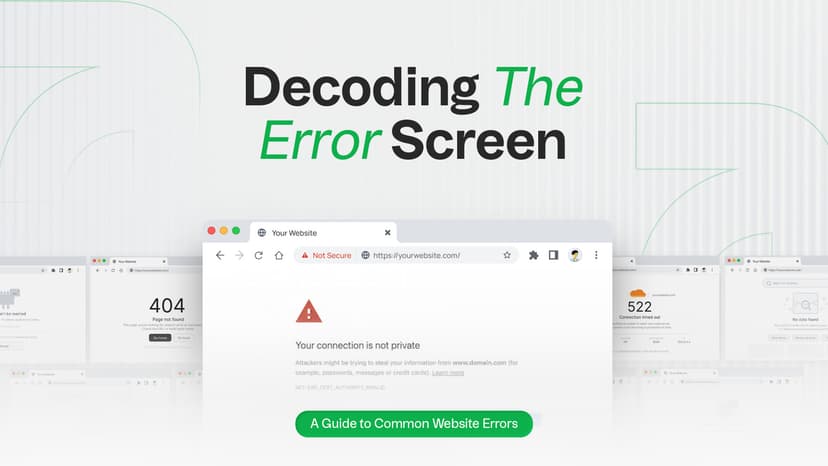
Seeing a 404, 500 or 503 error on your website? Learn what the most common website errors mean, how they impact SEO, and when it’s time to call a developer. You’re browsing a website, click a link and suddenly see a confusing message like 404 Not Found or 500 Internal Server Error. What just happened? Is it your fault? Is the site broken? Should you be worried? If you run a website, these errors can feel even more stressful. Will they hurt your Google rankings? Should you call a developer, or can you fix it yourself? This guide cuts through the technical noise. You'll learn exactly what HTTP status codes mean, why they happen, how they affect your SEO, and what you can do about each one, explained simply for website owners, marketers, and curious internet users alike.
A practical WordPress migration guide covering every phase: backups, .htaccess, redirects, robots.txt, sitemap, DNS, SSL, cache, forms, CRM tracking codes, and post-launch checks. Written for developers, interns, and anyone doing this for the first time.